The Small Badge That Started This Experiment
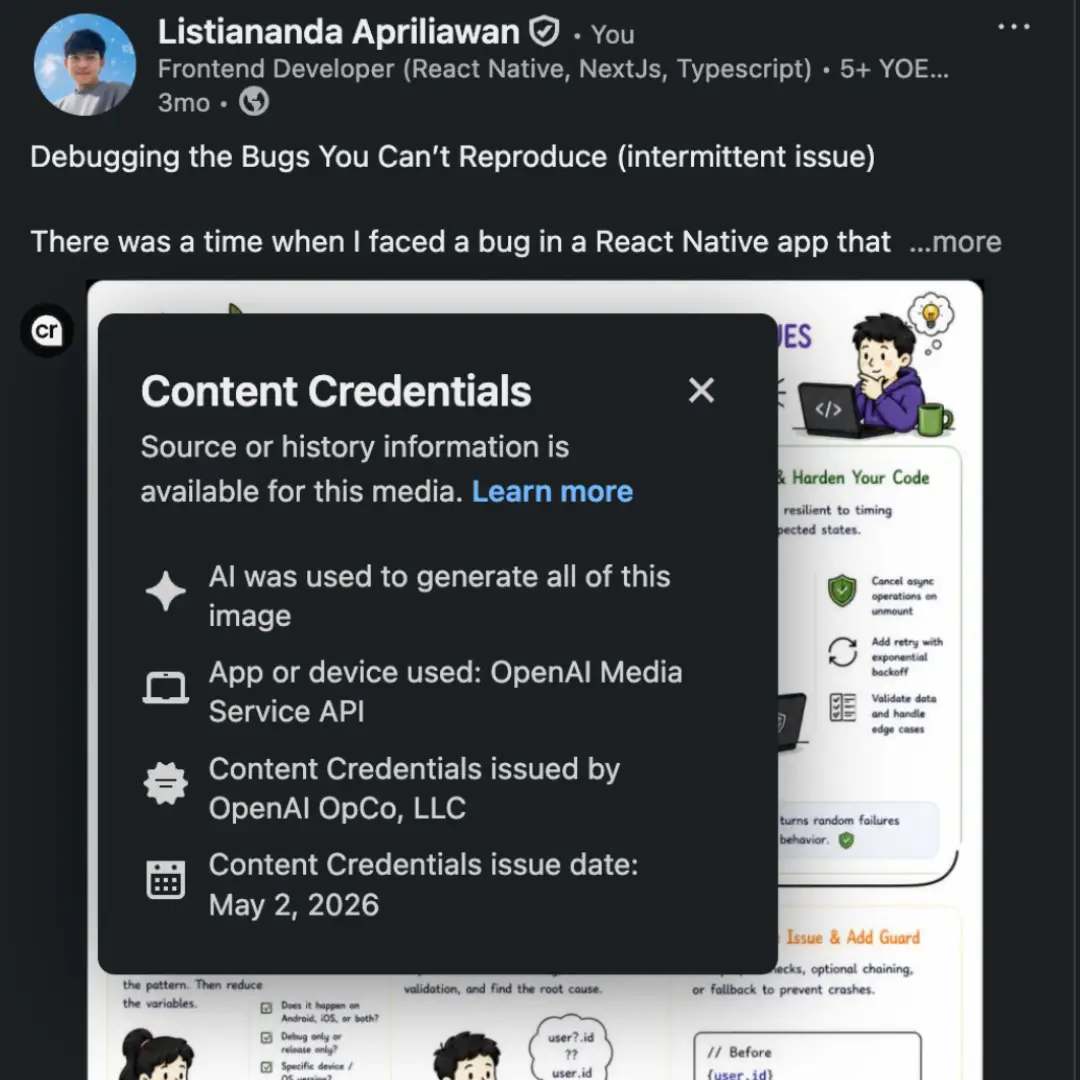
I recently published an AI-generated image in a LinkedIn post. After uploading it, I noticed a small CR badge beside the image.
Hovering over the badge opened a Content Credentials panel. It said AI was used to generate the image, named OpenAI Media Services API as the app or device, identified OpenAI OpCo, LLC as the issuer, and showed the credential’s issue date.
That made me curious: how did LinkedIn know?

LinkedIn post screenshot showing the CR badge
Content Credentials Are Not an AI Detector
Before testing anything, one distinction matters. Content Credentials are not the result of LinkedIn visually inspecting an image and deciding that it looks AI-generated.
LinkedIn uses the C2PA standard to read provenance information attached to supported images and videos. A credential can describe where media came from, which tool created or edited it, and who signed that statement.
The signature makes the provenance claim verifiable. It does not prove that every detail inside the image is true, and the absence of a credential does not prove that an image was created without AI.
LinkedIn post screenshot showing expanded Content Credentials panel screenshot
The Question
I wanted to test one narrow question:
Does LinkedIn still show the Content Credentials badge when the image’s attached provenance data is removed?
This experiment was about the visible badge. It was not an attempt to evaluate every safety, moderation, or AI-classification system LinkedIn may use behind the scenes.
Inspecting the Original Image
I first inspected the original file with metadata tools such as ExifTool and Metadata2Go’s metadata viewer.
Among the values exposed by the viewer were:
actions_software_agent_name: gpt-image
actions_software_agent_version: 2
actions_digital_source_type: trainedAlgorithmicMedia
c2pa_certificate-status: ...
The trainedAlgorithmicMedia value was the clearest clue. It describes media created using a trained algorithm, while the C2PA-related field indicated that the file carried signed provenance information.
These fields also matched what LinkedIn displayed in its Content Credentials panel. This gave me a useful baseline: the original file contained machine-readable information that LinkedIn could surface.
Removing the Metadata
Next, I processed a copy of the image with Metadata2Go’s metadata remover. I kept the original file unchanged and used only the processed copy for the second upload.
Afterward, I checked the processed file again. The metadata values I had observed in the original were no longer present.
Then I uploaded that processed copy to LinkedIn.
What Happened
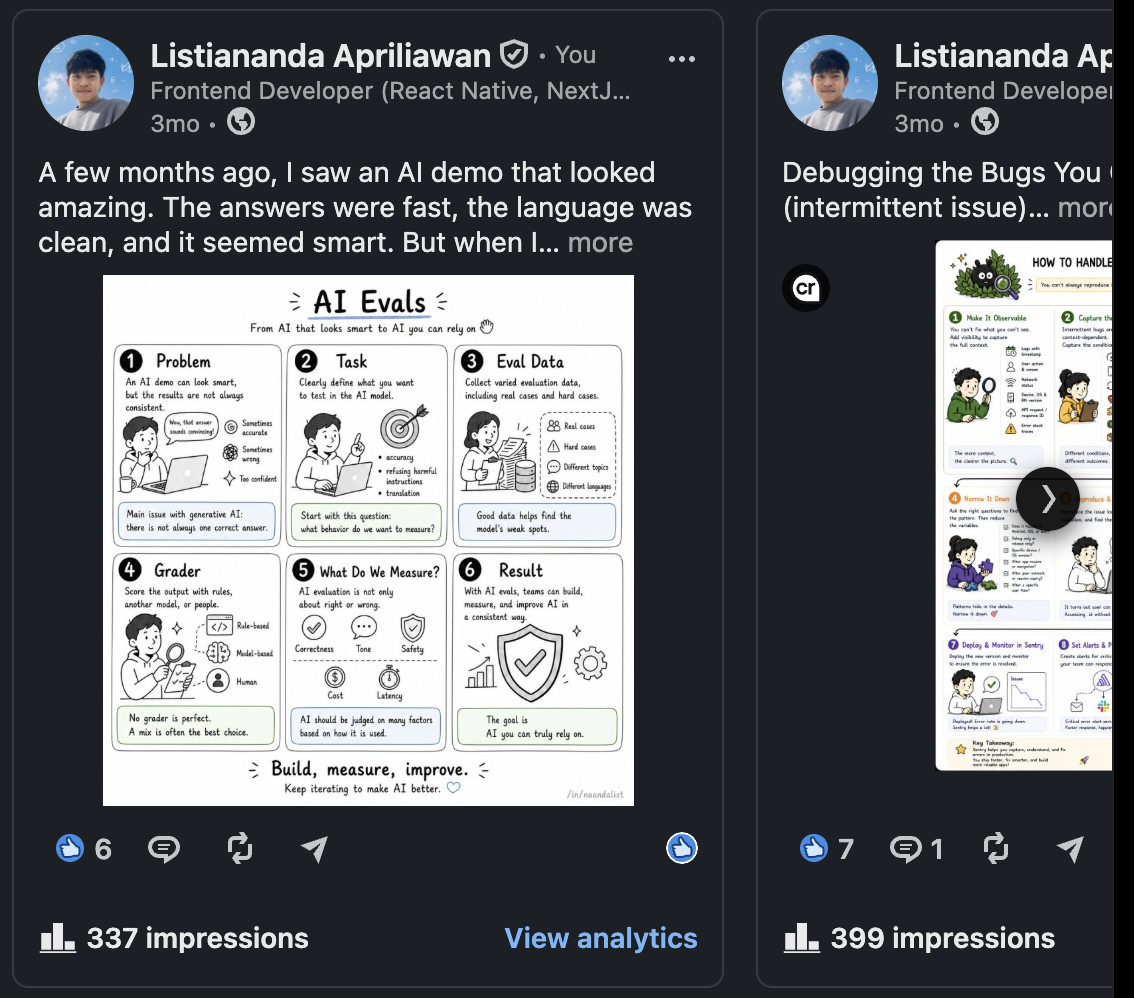
The image still uploaded and displayed normally, but the CR badge no longer appeared.
In this test, removing the attached metadata also removed the provenance signal LinkedIn had used to render the Content Credentials interface.
Before-and-after comparison of the two LinkedIn uploads
What This Result Does and Does Not Show
The result supports a limited conclusion:
For this image and upload flow, LinkedIn displayed the badge when readable C2PA Content Credentials were attached and stopped displaying it after those credentials were removed.
It does not prove that I bypassed every form of AI detection on LinkedIn. LinkedIn itself notes that it cannot currently identify and label all AI-generated or modified content. The platform may also use other systems for safety or moderation that are unrelated to the badge.
It also does not mean the processed image became non-AI-generated. Only its visible provenance trail disappeared.
Why This Matters
Content Credentials provide useful transparency, but this experiment shows an important limitation of attached provenance: metadata can be lost when a file is stripped, re-encoded, or passed through a tool that does not preserve it.
The C2PA specification explicitly recognizes that an asset can become separated from its manifest when metadata is removed or corrupted. More durable approaches can use external recovery mechanisms, but a platform still needs to support and resolve them.
This creates three practical lessons:
- For viewers: no badge does not mean no AI was involved.
- For creators: keep the original signed file if provenance matters, and check whether editing or publishing tools preserve its credentials.
- For platforms: attached credentials are valuable, but relying on them alone leaves a gap when provenance data is stripped.
Limitations of My Test
This was a small experiment, not a comprehensive benchmark. I tested one image, one metadata-removal workflow, and one LinkedIn upload path. I did not test other image formats, editing applications, invisible watermarks, cloud-based credential recovery, or repeated uploads across different accounts.
LinkedIn is also rolling out Content Credentials gradually, so its behavior may change over time.
Conclusion
LinkedIn did not need to guess that my original image was AI-generated. It read a signed provenance claim already attached to the file and presented that information through the Content Credentials badge.
When I removed that attached data, the badge disappeared. The image did not change in meaning or origin; only the verifiable context traveling with it did.
That is the most useful takeaway from this experiment: Content Credentials can make media history visible, but a missing credential should never be treated as proof that no history exists.